




BRING YOUR PHONE
Check If Your Phone Works with StandUp.
Enter your phone’s IMEI number below to instantly check compatibility. Most unlocked smartphones work with StandUp Prepaid — no need to buy a new device.
Your Result
IMEI Checker Results
The checker has three possible outcome states. Each state replaces the input area or appears below it.
Great news! Your phone is compatible
Your device is ready to use with StandUp Prepaid. Choose a plan below and activate in minutes.
DEVICE INFO CARD (auto-populated from IMEI lookup):
- Device: iPhone 14 Pro
- Network: 5G + 4G LTE compatible
- eSIM: Supported
- Status: Unlocked
Sorry, this device isn’t compatible.
Your phone may be locked to another carrier or may not support the network bands we use. Here’s what you can do:
- Contact your current carrier and ask them to unlock your phone
- Check again after your phone is unlocked
- Browse our affordable phones that come ready to use
Your phone appears to be locked.
Your device is compatible with our network but is currently locked to another carrier. You’ll need to unlock it before you can use it with StandUp Prepaid.
How to unlock your phone:
- Call your current carrier’s customer service
- Request a device unlock (they are required by law to unlock it if you’ve met their requirements)
- Once unlocked, come back and check again
FIND YOUR IMEI
Where to Find Your IMEI Number
Your IMEI (International Mobile Equipment Identity) is a unique 15-digit number that identifies your phone. It is not connected to any personal information — it only identifies the physical device.
Dial *#06#
Open your phone’s dialer app and type *#06#. Your IMEI will appear on screen instantly. Works on all phones.
iPhone Settings
Go to Settings → General → About. Scroll down to find your IMEI number. Tap and hold to copy it.
Android Settings
Go to Settings → About Phone → Status → IMEI Information. Your 15-digit IMEI will be displayed.
Compatible Devices
Most Unlocked Phones Work
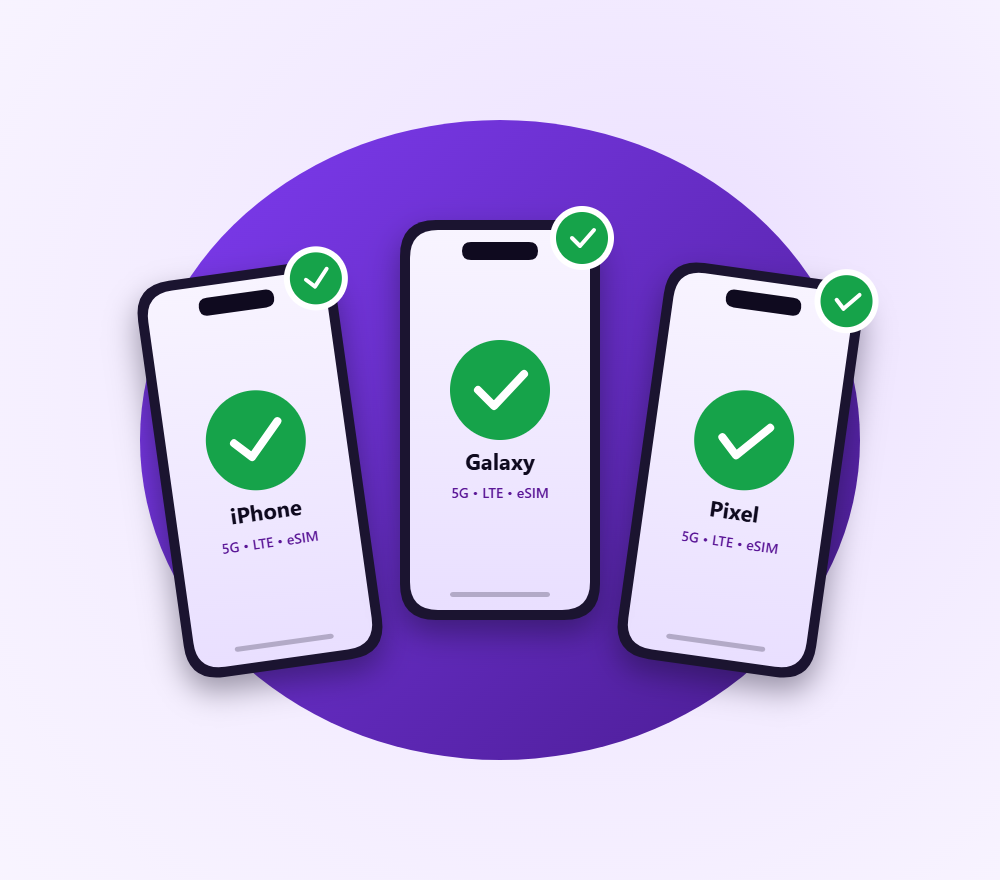
StandUp Prepaid works with most unlocked GSM, 4G LTE, and 5G smartphones. Your phone must be unlocked (not tied to another carrier) and support our network bands.

Apple
iPhone 8 and newer

Samsung
Galaxy S8 and newer

Pixel 3a and newer

Others
Motorola, OnePlus, LG, Nokia

HOW IT WORKS
3 Steps to Activate Your Phone
STEP 1
STEP 2
STEP 3
Check Compatibility
Enter your IMEI above to verify your phone works with our network. Takes 10 seconds.
Choose a
Plan
Pick from $5–$20/mo. All include unlimited texts, 5G/4G LTE, and no contract.
Activate & Connect
Get an eSIM instantly or receive a SIM card by mail. Keep your number or get a new one.
BYOP FAQ
Common Questions
Q: What is an IMEI number?
IMEI stands for International Mobile Equipment Identity. It is a unique 15-digit number that identifies your physical phone. It is not connected to any personal information, contacts, or data on your device. Carriers use it to check whether a device is compatible with their network.
Q: How do I know if my phone is unlocked?
On iPhone, go to Settings, then General, then About. Look for “No SIM restrictions” under Carrier Lock. On Android, go to Settings, then Connections or Network, and look for a Network Unlock or SIM Lock option. If it says unlocked, your phone is ready. If it’s still locked, contact your current carrier and ask them to unlock it.
Q: My phone is locked. What do I do?
Call your current carrier and request a device unlock. They are required by law to unlock your phone once you’ve met their requirements (usually paid off the device and account is in good standing). Once unlocked, come back and run the IMEI check again.
Q: Can I keep my current phone number?
Yes. During activation, you can port your existing number to StandUp Prepaid. The transfer typically completes within minutes. You’ll need your current carrier’s account number and PIN.
Q: What if my phone isn’t compatible?
If your phone doesn’t pass the compatibility check, it may be locked, missing required network bands, or reported lost or stolen. You can either unlock it and try again, or browse our selection of affordable phones at /phones that come ready to use with StandUp Prepaid.
Q: Does BYOP support eSIM?
Yes. If your phone supports eSIM (most phones from 2019 and newer do), you can activate instantly by scanning a QR code. No physical SIM card needed, no shipping wait. Your IMEI check results will show whether your phone supports eSIM.
Q: Is my IMEI stored or shared?
No. Your IMEI is used solely for the compatibility check and is not stored, shared, or linked to any personal information. It only tells us what type of device you have.
Phone Compatible? Choose a Plan and Activate
Plans from $5/mo. No contracts, no credit checks. Activate with eSIM in minutes